A Patient Thread app for families
Biting PointSafer driving, brighter tomorrows.

The family app for new drivers. A family map, drives recorded automatically with a coaching score, and a learner log that tracks practice hours, conditions and DVSA skills. Built for UK households with a learner or newly qualified driver, and run on the young driver's terms.

Free during the family beta. iPhone (iOS 15 or later) now via TestFlight. Android to follow. No price has been announced.
Biting Point logo with an orange map pin over a sunlit road through green hills, and the tagline Safer driving, brighter tomorrows

In the box

  • Live family map with saved places and arrive and leave alerts
  • Drives recorded from the phone's sensors, with a coaching score
  • You say whether you were the driver or a passenger. It is never guessed
  • Learner practice log measured against the DVSA average
  • Theory practice questions written from The Highway Code
  • Check in, hold-to-SOS and a crash countdown that alerts the family
  • Sharing modes the young driver controls, including a Bubble timer
  • No ads, no analytics SDK, no data brokers. Data hosted in the UK
Built for the first year of driving

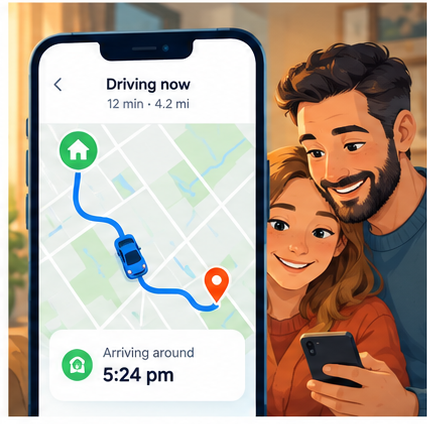
Most family apps are built for everyone. Biting Point is built for the months between the first lesson and the first year with a full licence, when a family wants reassurance and a young driver wants to be trusted.

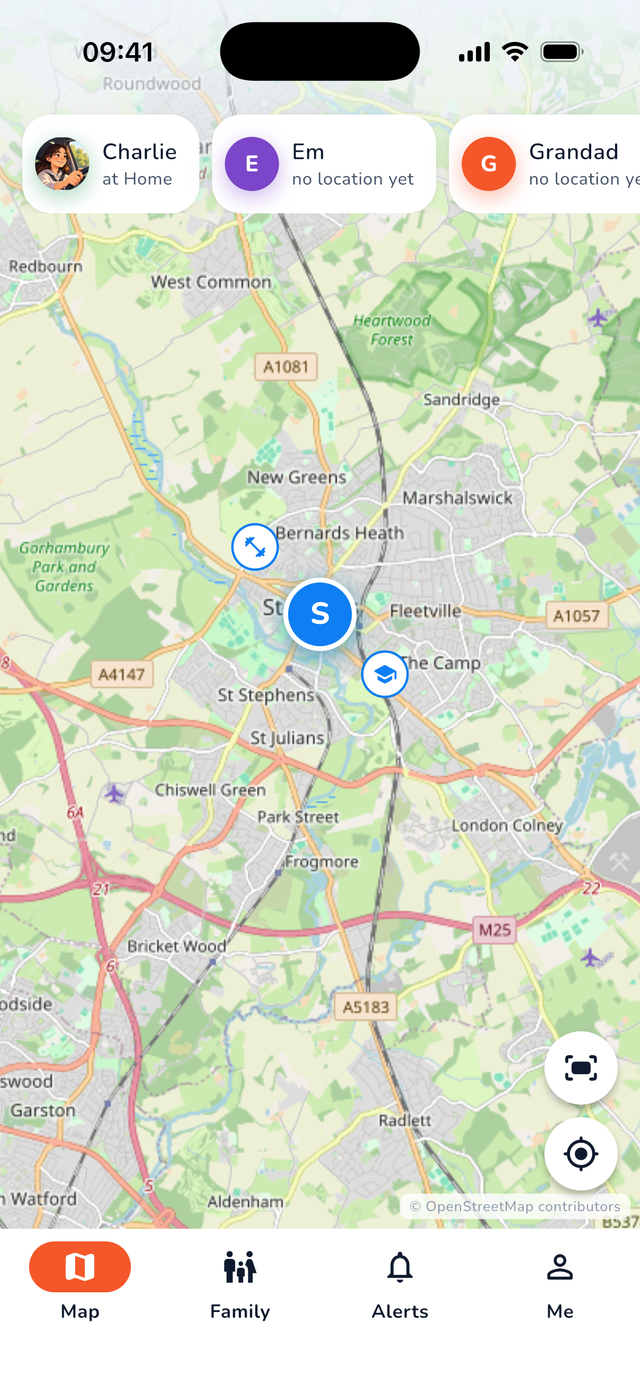
Illustration of a phone map showing a parent and a teenager

Map and places

See the family on one map. Save places such as home, school or work and get an alert when someone arrives or leaves.

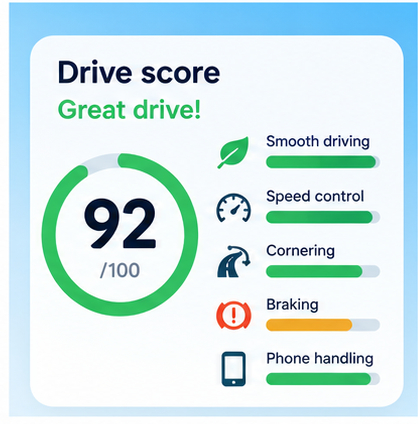
Illustration of a drive score card with a green ring reading 92 out of 100

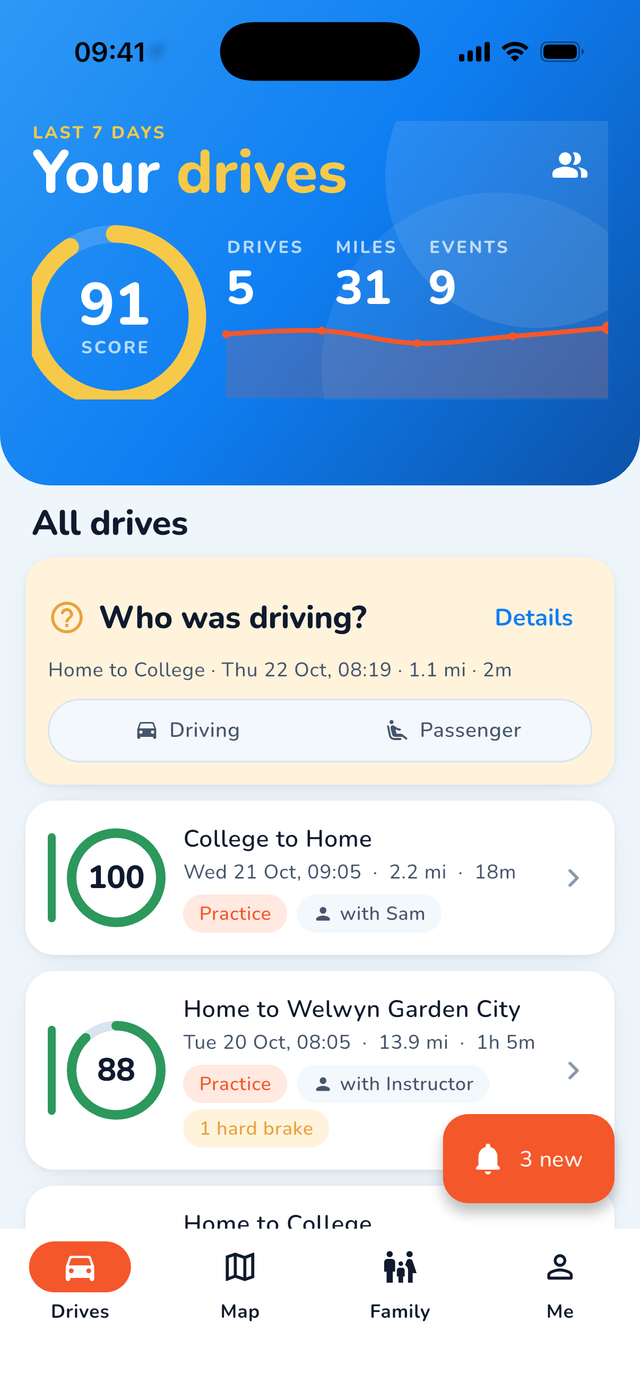
Drives and score

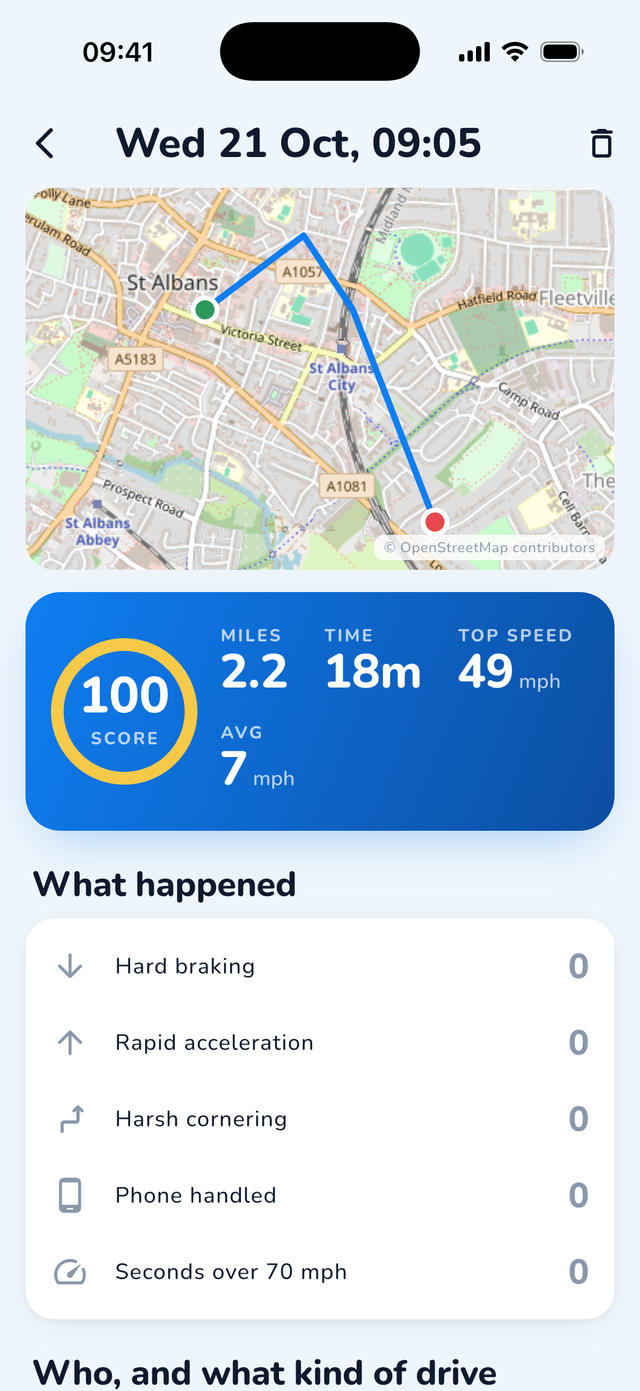
Drives are recorded automatically from the phone's sensors. Each gets a coaching score built from hard braking, rapid acceleration, harsh cornering, phone handling and time over 70 mph.

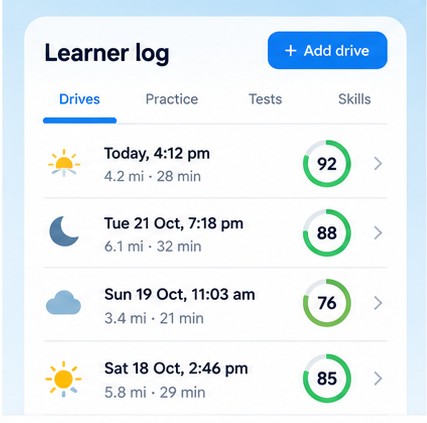
Illustration of a learner log list

Practice log

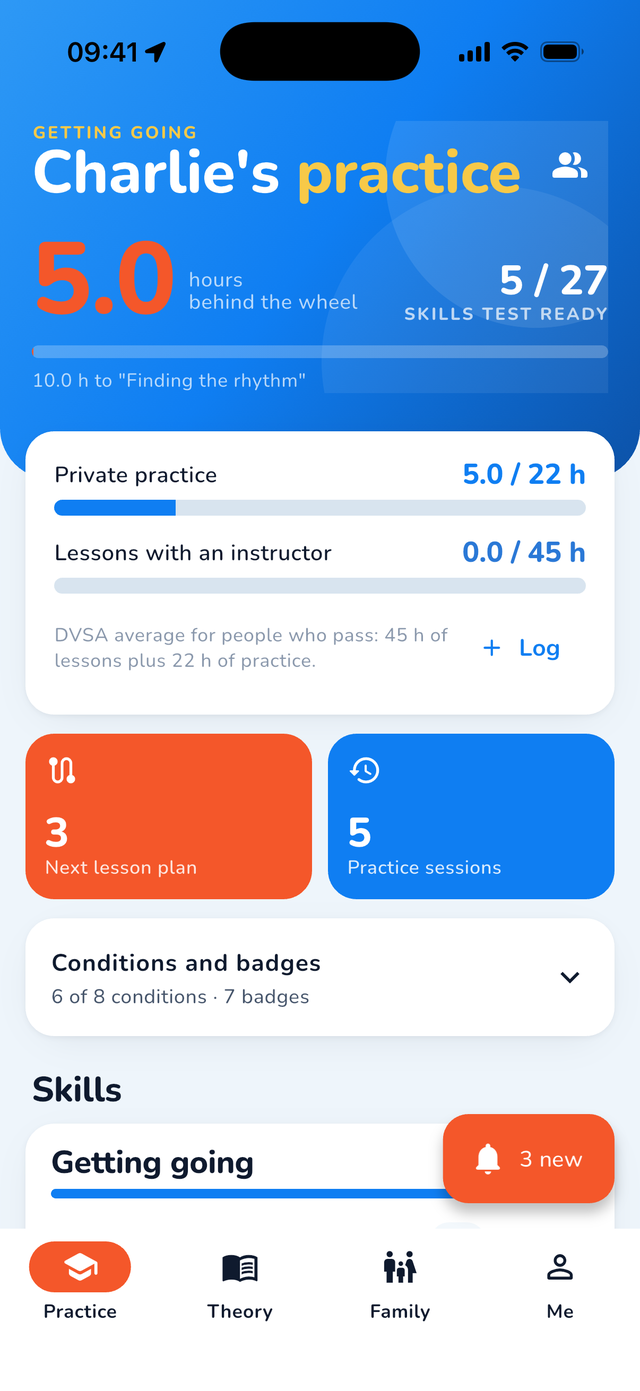
Log lessons and private practice against the DVSA average of 45 hours of lessons and 22 hours of private practice. Tick off night, rain, motorway, dual carriageway, country roads, town and parking.

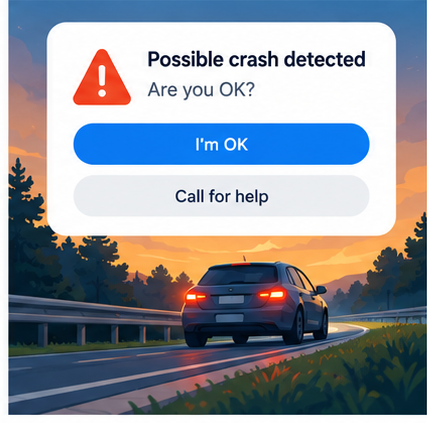
Illustration of a crash alert card over a road at dusk

Crash countdown

If the sensors detect a possible crash, a countdown starts. If it is not cancelled, the family is alerted with the location and the phone offers a 999 button. There is no call centre.

Driver or passenger is your call

The app never guesses who was driving. You choose driver or passenger when a drive starts, and you can change it on the drive afterwards.

Theory practice

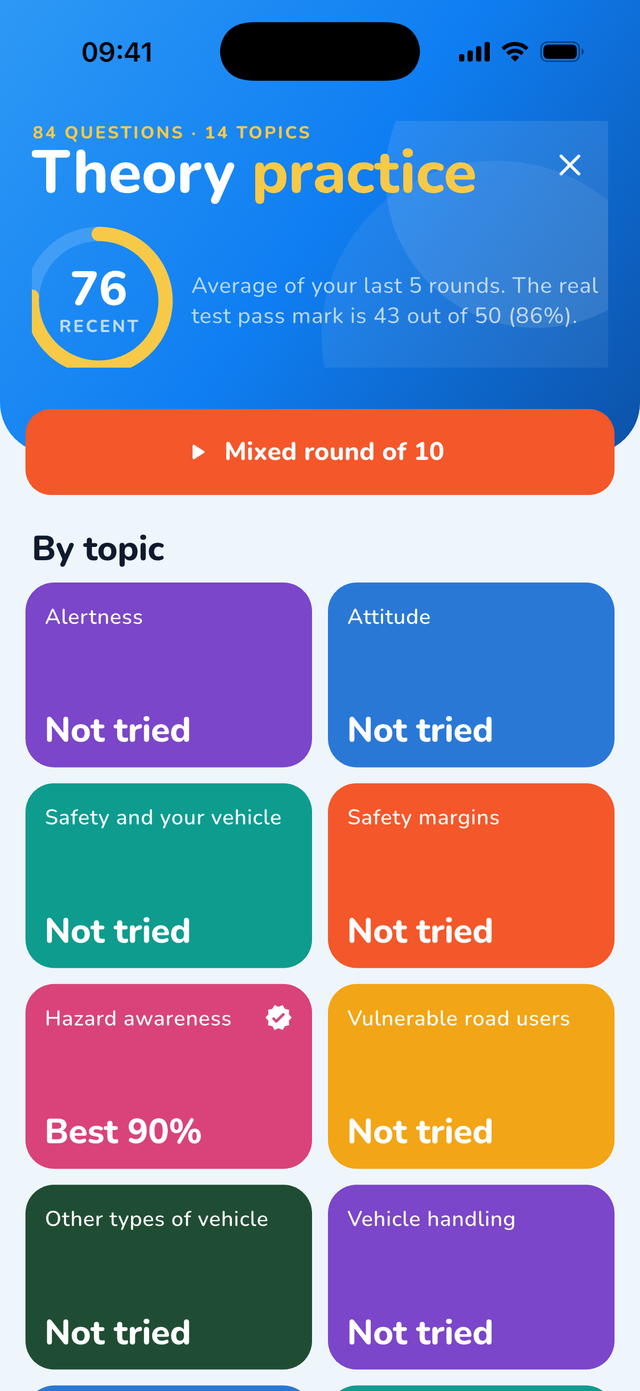
Practice questions written from The Highway Code, alongside a skills checklist drawn from the DVSA test syllabus so the learner and supervisor can see what still needs work.

Check in and SOS

A one-tap check in tells the family you have arrived. Hold to send an SOS with your location to everyone in the family.

Sharing you control

The young driver picks the mode: everything, approximate, drives only or paused. A Bubble timer hides the exact location for a set time without hiding the drive.

What Life360 does not do

Life360 and similar apps are general family locators. Biting Point covers the same ground on the map and adds the parts a learner household actually needs.

FeatureBiting PointGeneral family locators
Learner practice logHours against the DVSA average, with conditions coveredNot part of a general family locator
DVSA skills checklistDrawn from the UK driving test syllabusNot part of a general family locator
Theory questionsWritten from The Highway CodeNot part of a general family locator
Who was drivingChosen by the user, never guessedUsually detected automatically by the app
Where data is keptHosted in the UK, each family ringfenced in the databaseDepends on the provider. Check its privacy policy
Data brokersNever. No ads, no analytics SDK, no data soldDepends on the provider. Check its privacy policy

Life360 is a trademark of Life360, Inc. Biting Point is not affiliated with Life360. Statements about other apps describe their general category, not any specific product's current features.

What the family sees

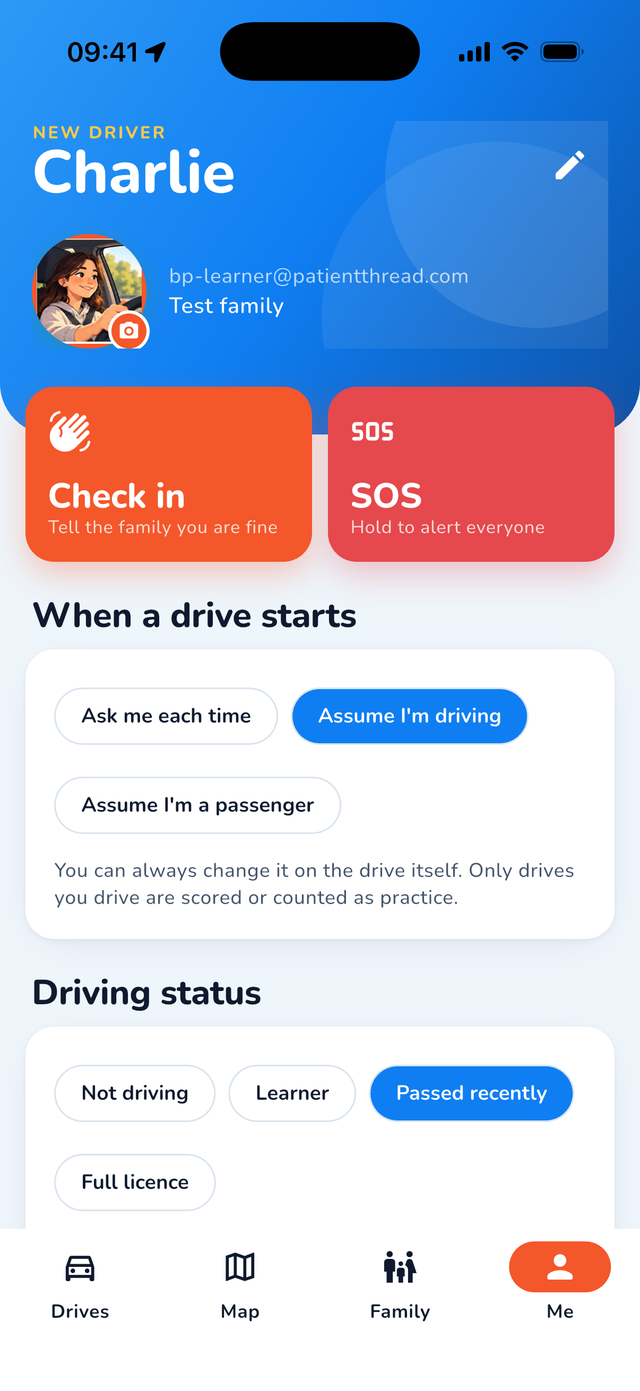
Captures from the beta build on iPhone. Names and places shown are sample data.

Your family's data is your family's business

A family app only works if the young driver trusts it. Biting Point is built so that nothing leaves the family circle, and so that the young driver decides how much of their location the family sees.

Raw motion-sensor data is processed on the phone and is not uploaded. Phone handling is detected from motion alone. The app does not read calls, messages or what you do on the phone.

The full privacy notice sets out what is collected, why, where it is stored and for how long.

Illustration of two teenagers looking at a phone together Illustration of a teenage girl at the wheel of a car

Frequently asked

Does it work on Android?

Not yet. The beta is for iPhone running iOS 15 or later, distributed through TestFlight. An Android version is planned to follow. Email us if you would like to know when it is ready.

Does it drain the battery?

Any app that records drives uses location in the background, so it uses more battery than an app that does not. Biting Point processes motion on the phone and only sends position updates at the rate the sharing mode needs. Drives stop recording if the phone is in Low Power Mode, so we recommend charging in the car on long journeys. During the beta we are measuring battery use on real phones and will publish what we find.

Can my teenager pause it?

Yes. The young driver chooses the sharing mode: everything, approximate, drives only or paused. They can also start a Bubble timer, which hides their exact location for a set time. The family can see which mode is on, but cannot override it. We designed it this way because an app a young person cannot control is an app they will delete.

Is it a black box for insurance?

No. Biting Point does not share drive data with insurers, and the score is a coaching tool for the family, not an underwriting tool. We make no claims about insurance premiums. Drive data stays within the family circle unless you export it yourself.

What happens in a crash?

If the phone's sensors detect a possible crash, the app starts a countdown on the screen. If the driver cancels it, nothing is sent. If the countdown runs out, the family is alerted with the location and the phone offers a button to call 999. There is no call centre and nobody is dispatched by us. Detection depends on the phone, its sensors, signal and battery, so it must not be relied on as the only safety measure.

Help with Biting Point

Questions about the beta, a drive that did not record, sharing modes or deleting your account? We answer directly.

Email . We never ask for your Apple Account password or payment details.

Biting Point is published by Patient Thread Ltd, registered in England and Wales (17167409). Apple, iPhone and TestFlight are trademarks of Apple Inc. DVSA and The Highway Code are the property of the Driver and Vehicle Standards Agency and the Crown; Biting Point is not endorsed by either.